Sésame01
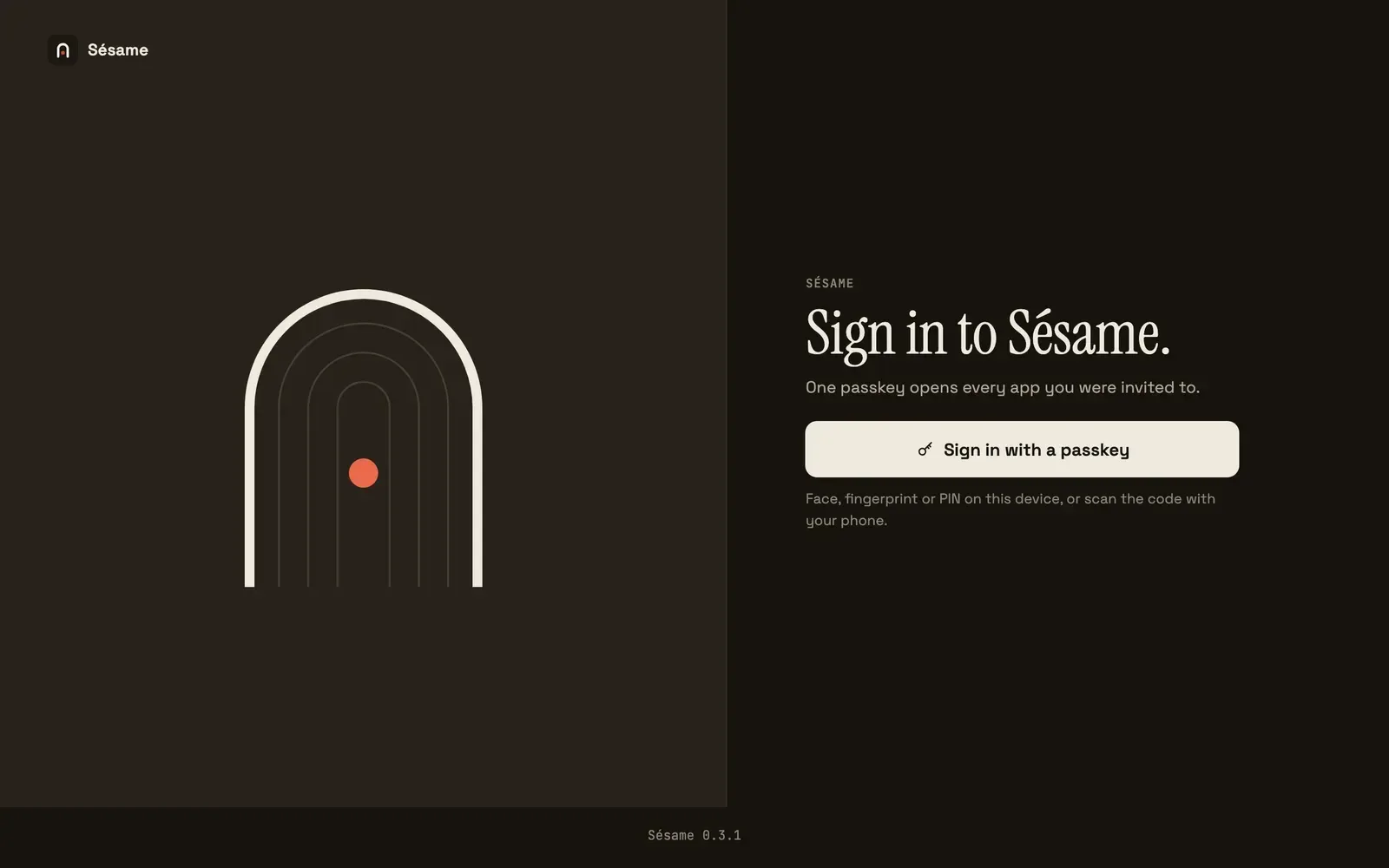
One identity for every app of the portfolio: a self-hosted OpenID Connect provider where you sign in with a passkey, enter by invitation, and stay signed in across every app you belong to.






- Timeline
- Nov 2026 —
- Role
- design + build
- Author
- Steeve Pommier
- Stack
- Node.js, TypeScript, Koa, oidc-provider, SimpleWebAuthn, PostgreSQL, Docker
- Version
- 0.4.0
- Page
- Updated 19 Nov 2026 · since 18 Nov 2026
- AI
- Vibecoded
Sésame is an OpenID Connect provider for the apps of this portfolio. An app — Winnow, Atelier, Sketchbook — sends a person to Sésame to sign in, and gets back who they are: the same account on the phone, the tablet and the computer.
It started from one observation: the apps had begun to depend on each other through shared services — Atelier keeps documents on Winnow, Atelier and Sketchbook publish through the same tool — and every device, every app, asked Steeve again who he was.
For a person
- Passkeys only. No password to guess or reuse, no mail. A lost device is answered by another passkey of yours, or by a recovery link from an administrator.
- Invitations name their apps. A link opens one app or several, once, for a few days, and may carry a role in each. Whoever accepts it creates their account with a passkey, or joins with the one they have; the link has its QR code, to open on a phone. Without an invitation, Sésame refuses to sign someone into an app.
- One session. Signed in once, every app you belong to signs you in without asking again. Signing out shows which apps still hold a session for you: sign out of one, of Sésame only, or of everything at once.
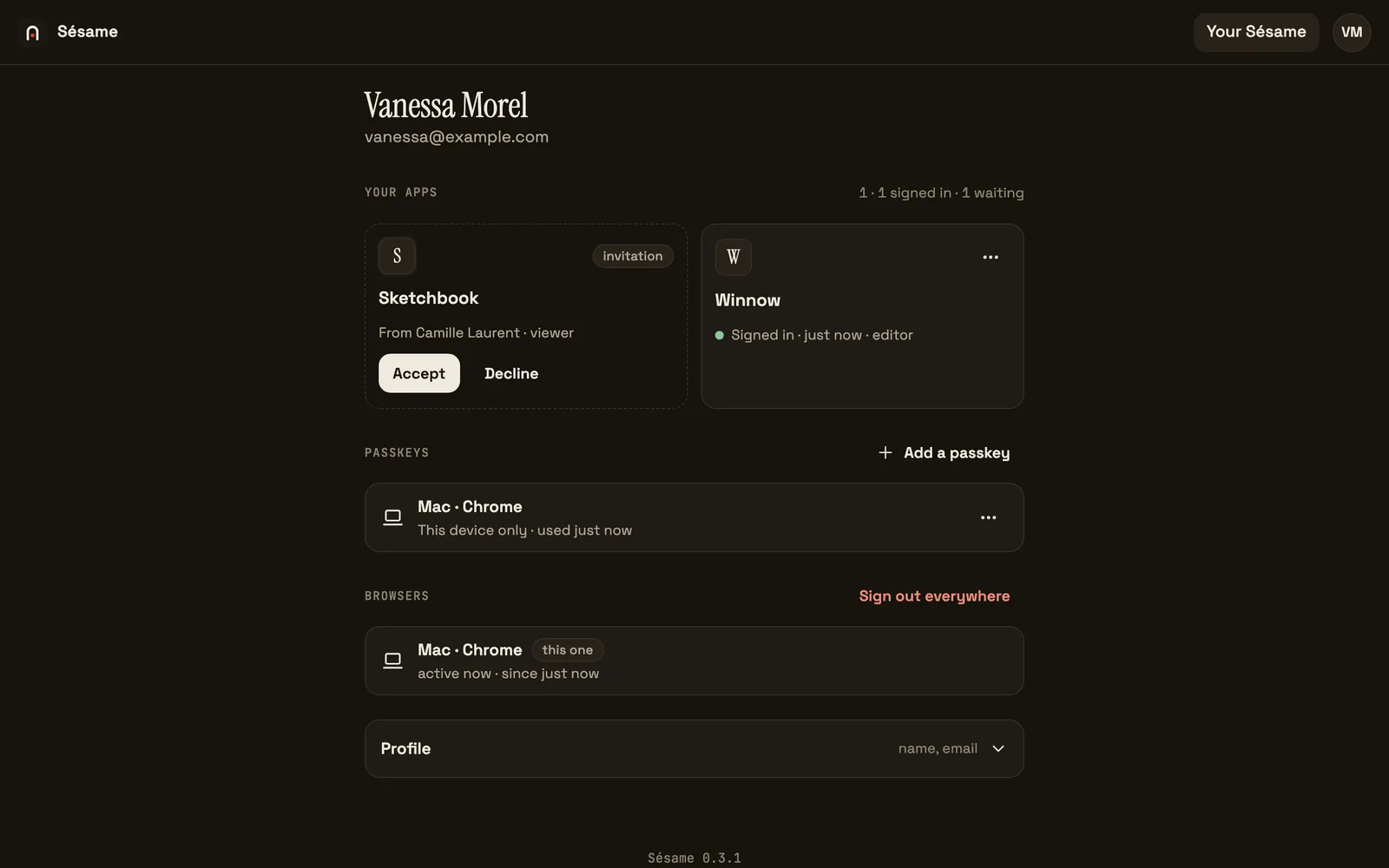
- Your Sésame lists every app you may open and when you last signed in, every browser you are signed in on (which you can name, so a work Mac is not three identical "Mac · Chrome"), your passkeys and your profile — and the invitations waiting for you, to accept or decline. Pages follow your device's light or dark theme, or the one you pick.
For an app
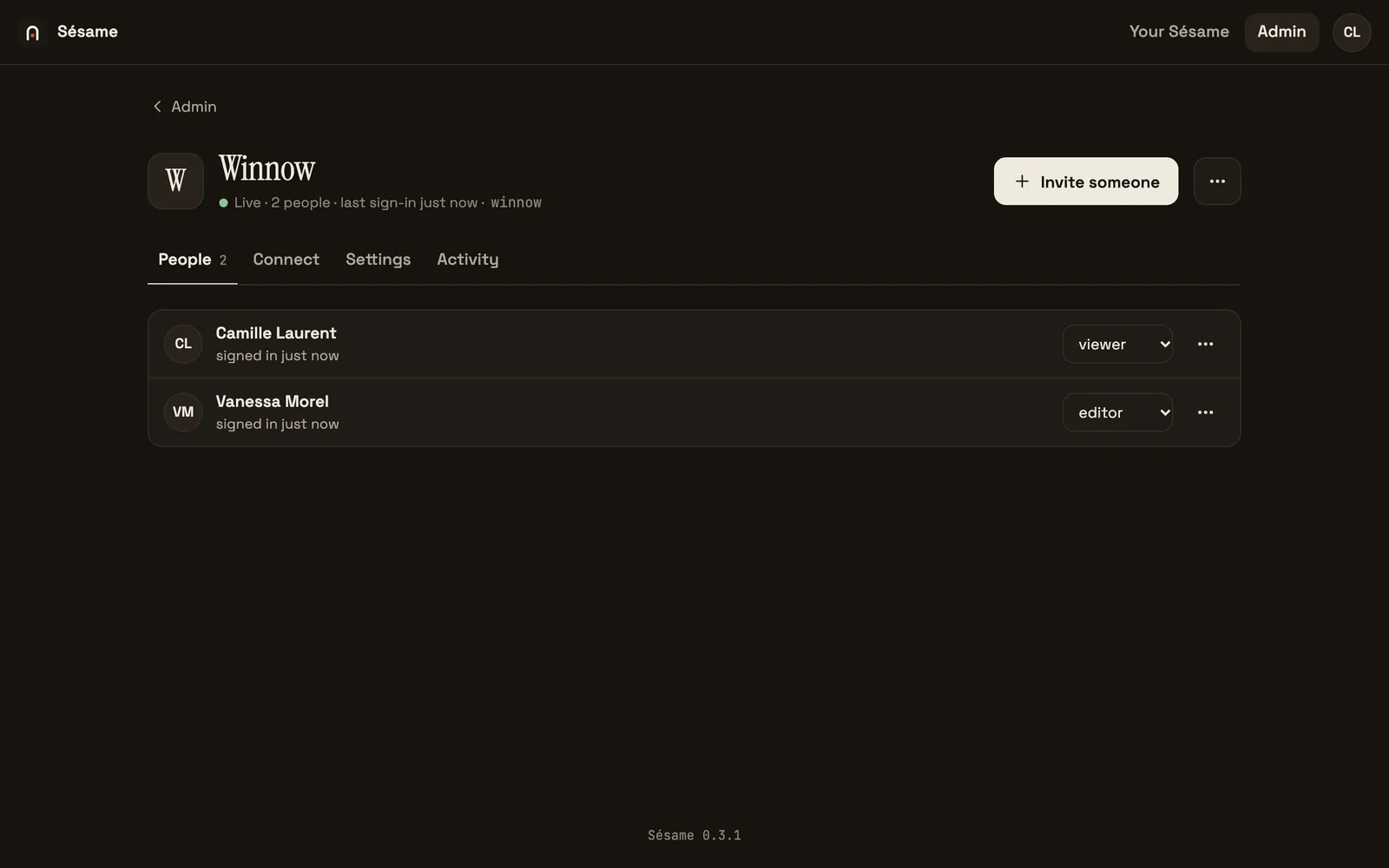
An app's Connect tab in the administration puts first what a setup screen asks for, each with a Copy.
Plain OpenID Connect, with its discovery document. A server app authenticates with its secret plus PKCE; a page with no server uses PKCE alone. Scopes are openid profile email, role when the app declared roles, and offline_access for a refresh token; the claims are a stable sub, the name, the email (never marked verified: Sésame sends no mail) and the role. Removing someone from an app, or disabling them, makes the app's next refresh fail and its next sign-in refused.
How it is built
- Not inside Winnow. Making Winnow the identity provider was considered and rejected: Winnow is the busiest process on the server and its database holds irreplaceable media state, while the service everyone needs to get in must be the smallest and steadiest of all. Winnow's sign-in code was the model — hashed sessions, single-use invitations — not its database. Sésame keeps its own.
- The protocol is never written by hand. Sésame is built on
oidc-provider, an OpenID Certified library, chosen over adopting Pocket ID, Authentik or Authelia: Sésame writes the accounts, passkeys, invitations, pages and administration, and can later hold more than identity, which an off-the-shelf provider would not. - Authentication here, authorization in the app. Sésame says who signed in and the role they were given; each app decides what that role may do.
- Passkeys bound to the whole domain, so every page under it can use them — the way to let Atelier, launched from an iPhone home screen with its own cookie jar, sign in without a redirect later. But no cookie on the whole domain: it would travel to every subdomain, including software that is not his.
- Local-first apps keep working without it. Atelier never needs Sésame for what it does offline, and each app keeps a way in of its own, or one outage would lock him out of everything.
- No build step. Node runs the TypeScript sources directly; the image is the production dependencies, the sources, the migrations and the static files. It wears the same paper, ink and serif titles as Winnow and Atelier.
What it does not do
It sends no mail — a link is shown once and the administrator sends it. It stores no password. An invitation never makes an administrator. And it never stores what a project is: identity first; the state that follows a person from device to device and the context apps share are separate problems, kept apart.
Next
In order: the first apps move their own sign-in onto Sésame — a small private dashboard first, then Winnow, Atelier as a page with no server, Sketchbook — then the self-hosted tools that speak OpenID Connect, and finally the MCP servers, with Sésame as their authorization server so an assistant can connect to them.
Versions
- 0.4.0Damascus
You can name your browsers, pick a light or dark theme, and an app's Connect tab leads with what its setup screen asks for.
- Name your browsers: in Your Sésame, from each browser's menu, give it a name like "Mac boulot · Arc" instead of three identical "Mac · Chrome". The automatic label stays beside it, and the name follows the browser across sign-outs. The sign-in alerts use the name you gave.
- Light, dark or your device's: a Theme choice in the menu under your initials. System is the default; Light or Dark is kept by that browser and applies to every Sésame page, sign-in and invitation included.
- A clearer Connect tab: an app's Connect tab puts first what a setup screen asks for, each with its own Copy; the endpoints for software that wants each one separately are one fold away.
- Fixed: the Connect tab's table and the details on the error page no longer squeeze their values into a narrow column.
- 0.3.0Capuana
Bring someone into several apps with one link and its QR code, and Sésame asks for your passkey again before anything that could change who holds an account.
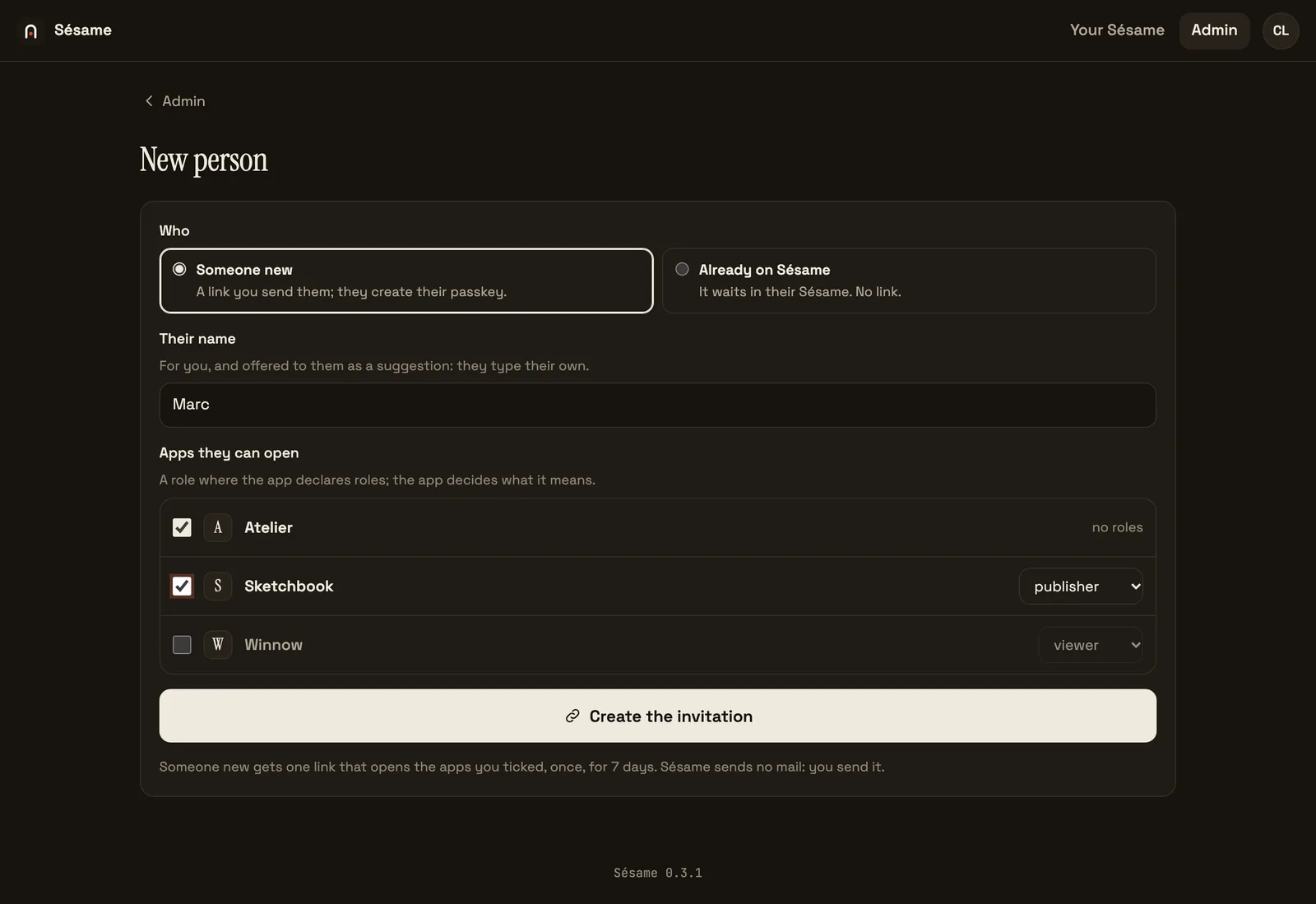
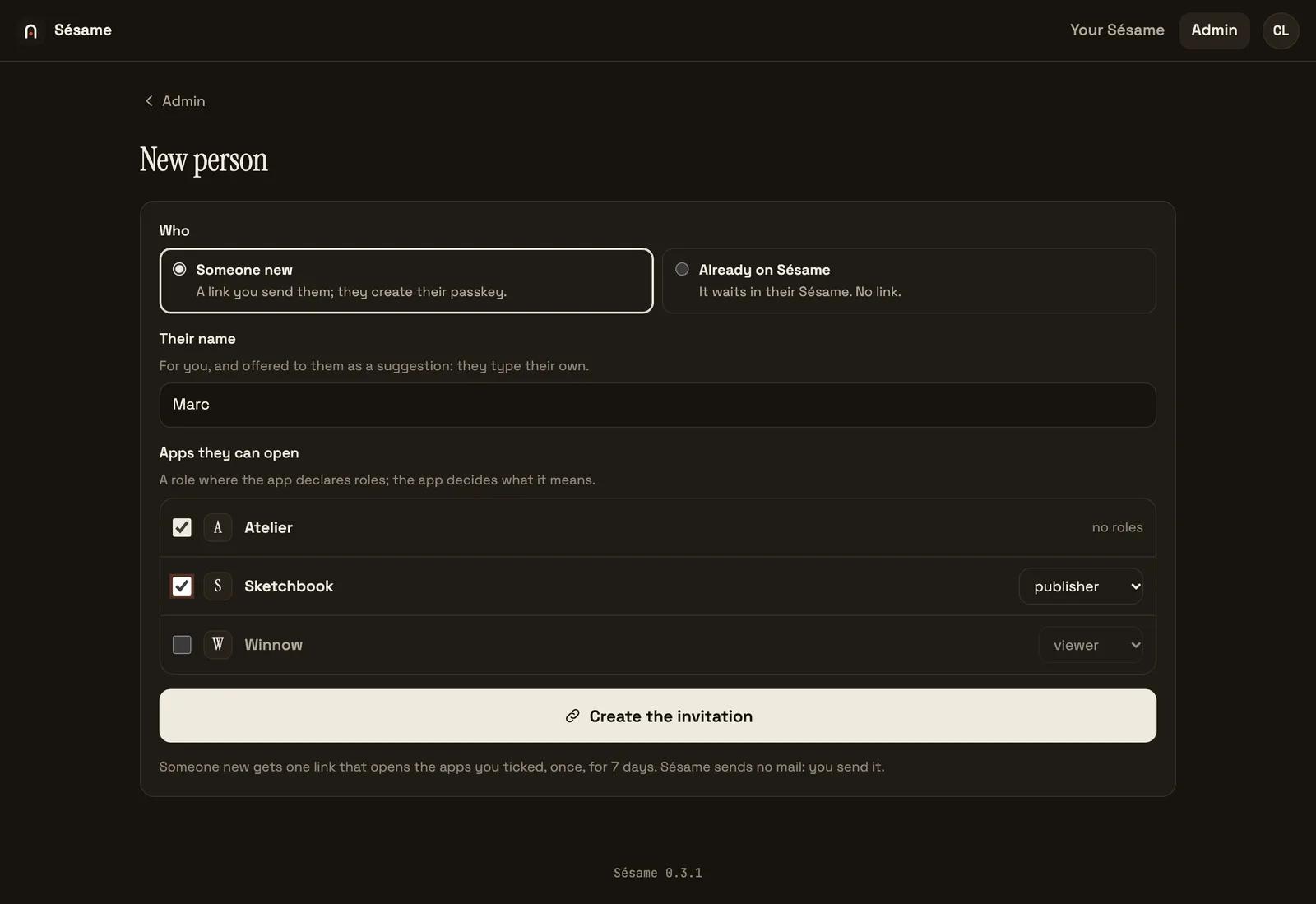
- New person: from the administration's New menu, bring someone into one or several apps at once, with a role in each. They get one link — and its QR code, to scan with a phone — that opens all those apps, once, for seven days.
- Arriving in one go: opening the link, they see what it opens, find the name you gave them already filled in, create their passkey and land in every app. Someone already on Sésame gets the invitation in their own Sésame, with one Accept for all its apps.
- Who is on their way: the People tab lists the people still to arrive, what their link opens and until when, and makes them a new link or withdraws it.
- "Confirm it is you": Sésame asks for your passkey again before adding or removing a passkey, changing your email or, for an administrator, making another one — unless you used it in the last five minutes. An app that asks for a fresh sign-in now gets one too.
- A passkey checks it is you — face, fingerprint or the device's PIN — at every sign-in; a security key with no PIN asks you to set one.
New person 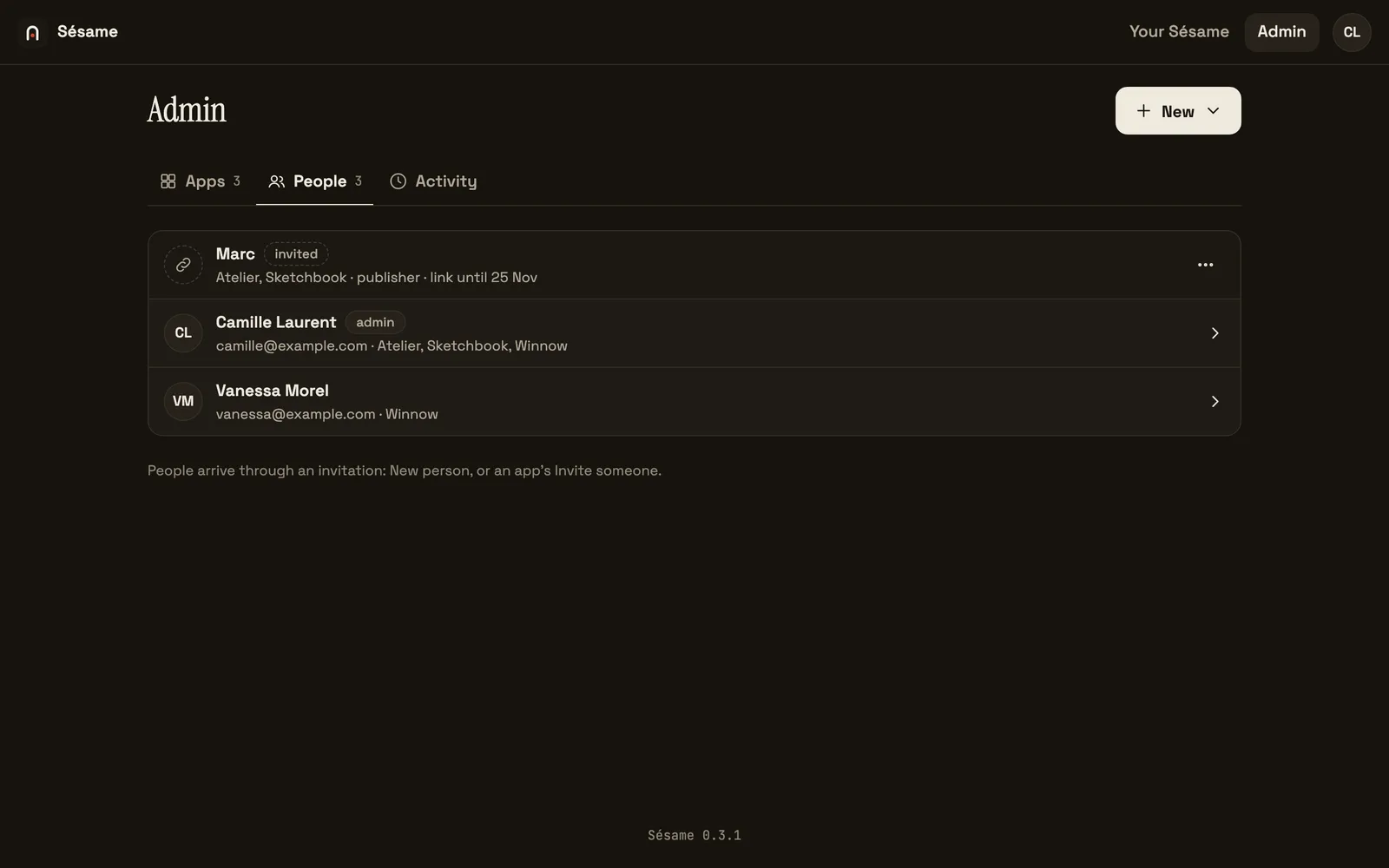
Who is on their way - 0.2.0Brandenburg
A new look from the family of Winnow and Atelier, a page of your own for every app and browser, and a sign-out that lets you choose what it ends.
- A new look, the family of Winnow and Atelier: warm paper, ink, serif titles and one quiet accent, with a menu under your initials for your account, the administration and signing out.
- Your Sésame: every app you may open, whether it holds a session for you and when you last signed in, every browser you are signed in on — each signed out alone — your passkeys and your profile.
- Signing out, your choice: Sésame shows which apps still hold a session for you, and signs you out of one, of Sésame only, or of Sésame and every app at once.
- Invitations for newcomers: an invitation says who sent it, shows the three steps and explains what a passkey is. Someone already on Sésame can be invited through their account, and accepts or declines in their own Sésame.
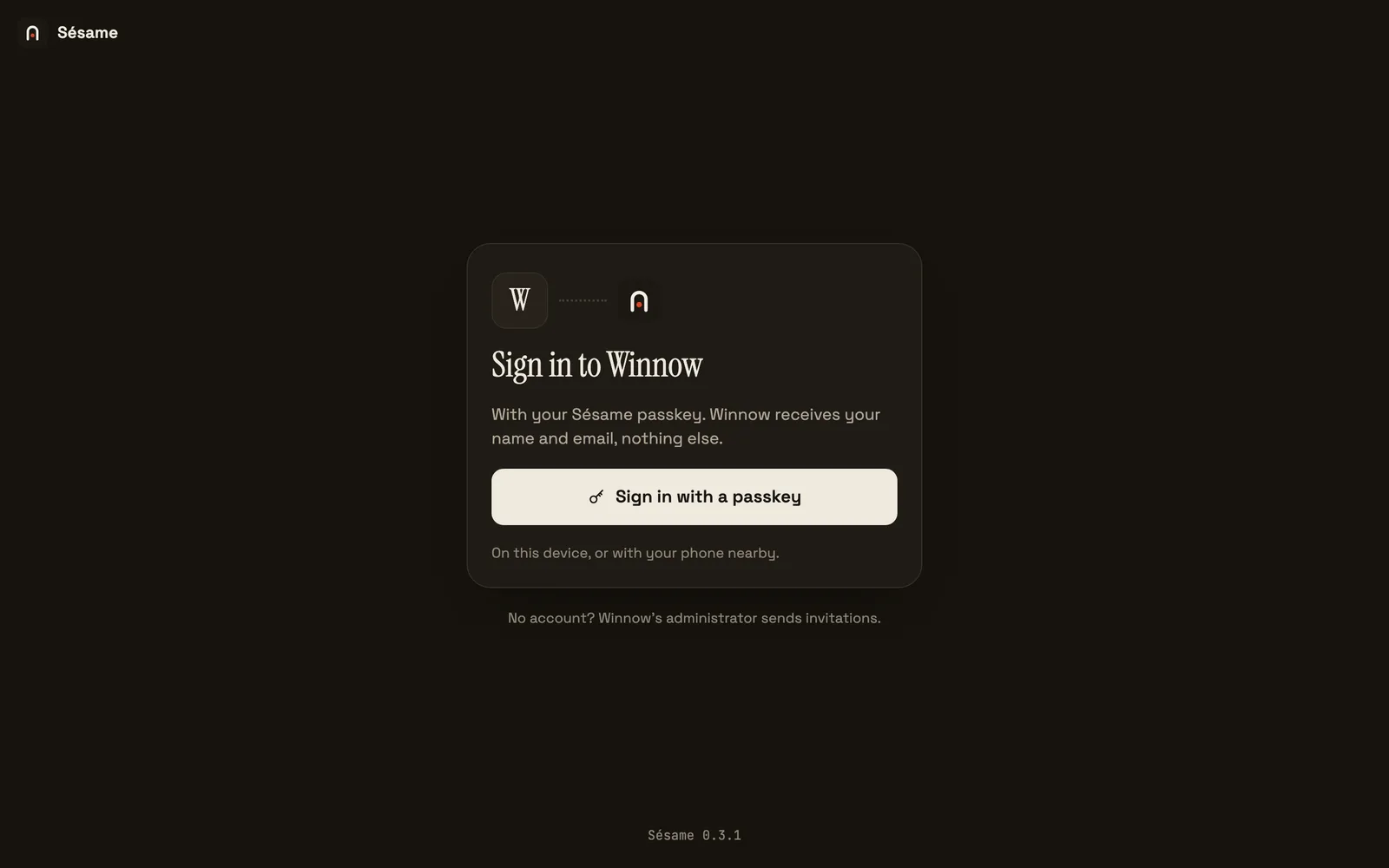
- A warmer door: the sign-in page greets you by your first name on a browser you used before, an app's sign-in shows the app beside Sésame and says what it receives, and Sésame can sit on a phone's home screen with its own icon.
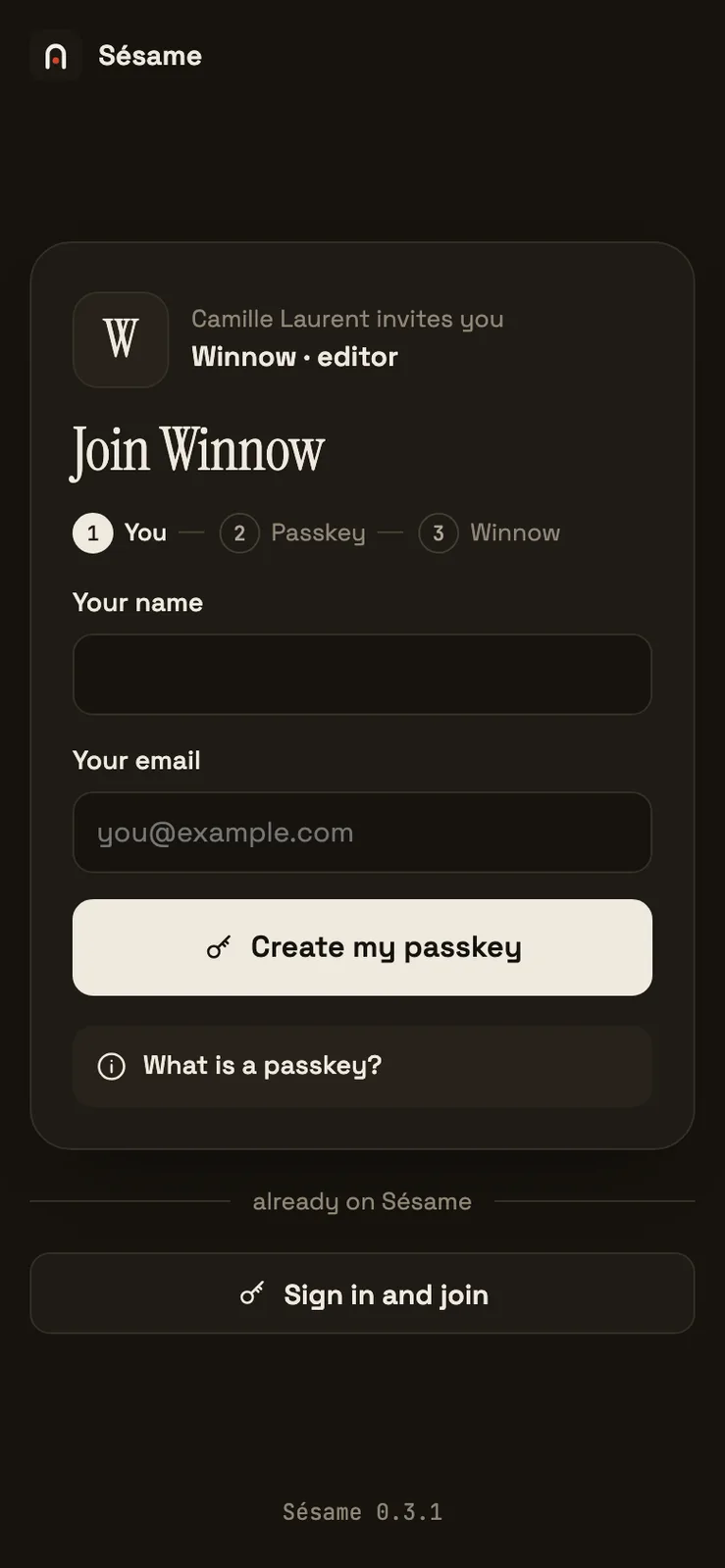
An invitation 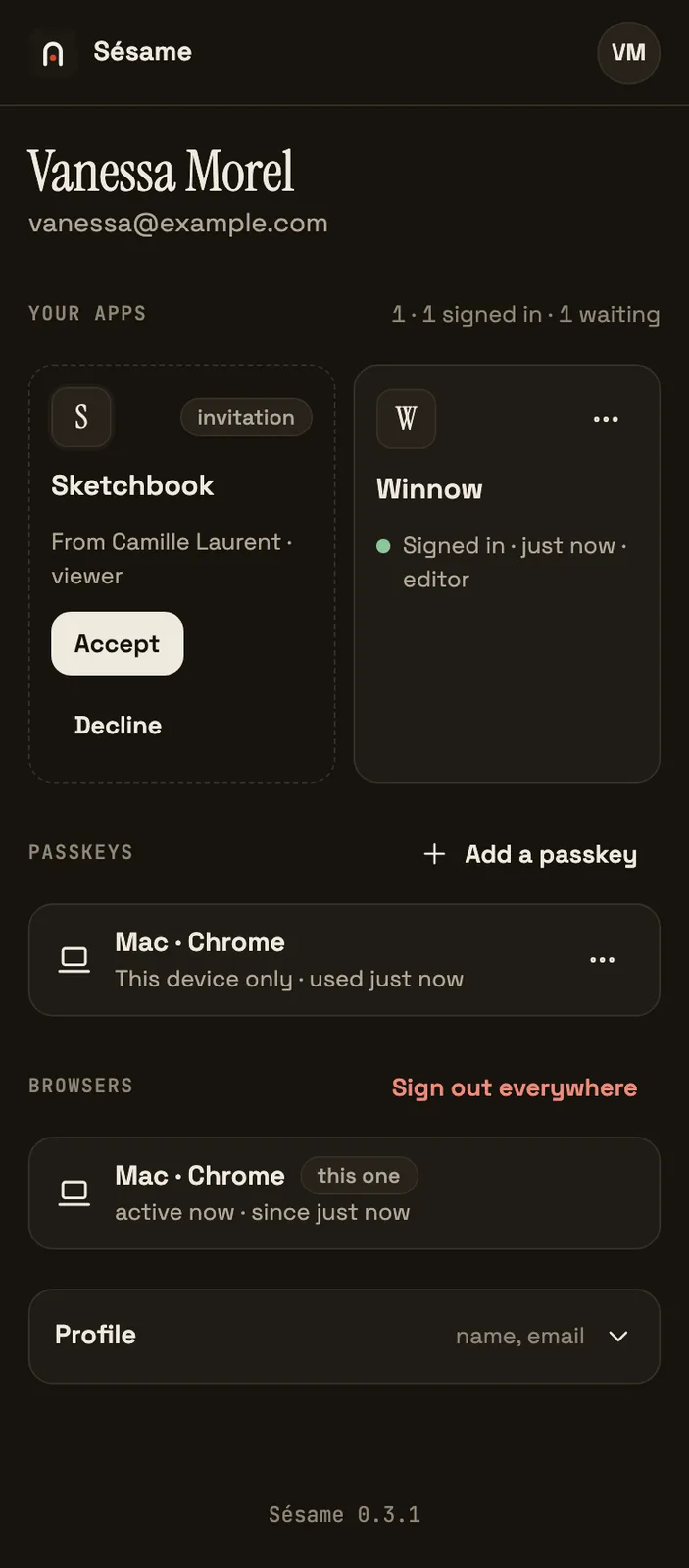
Your Sésame 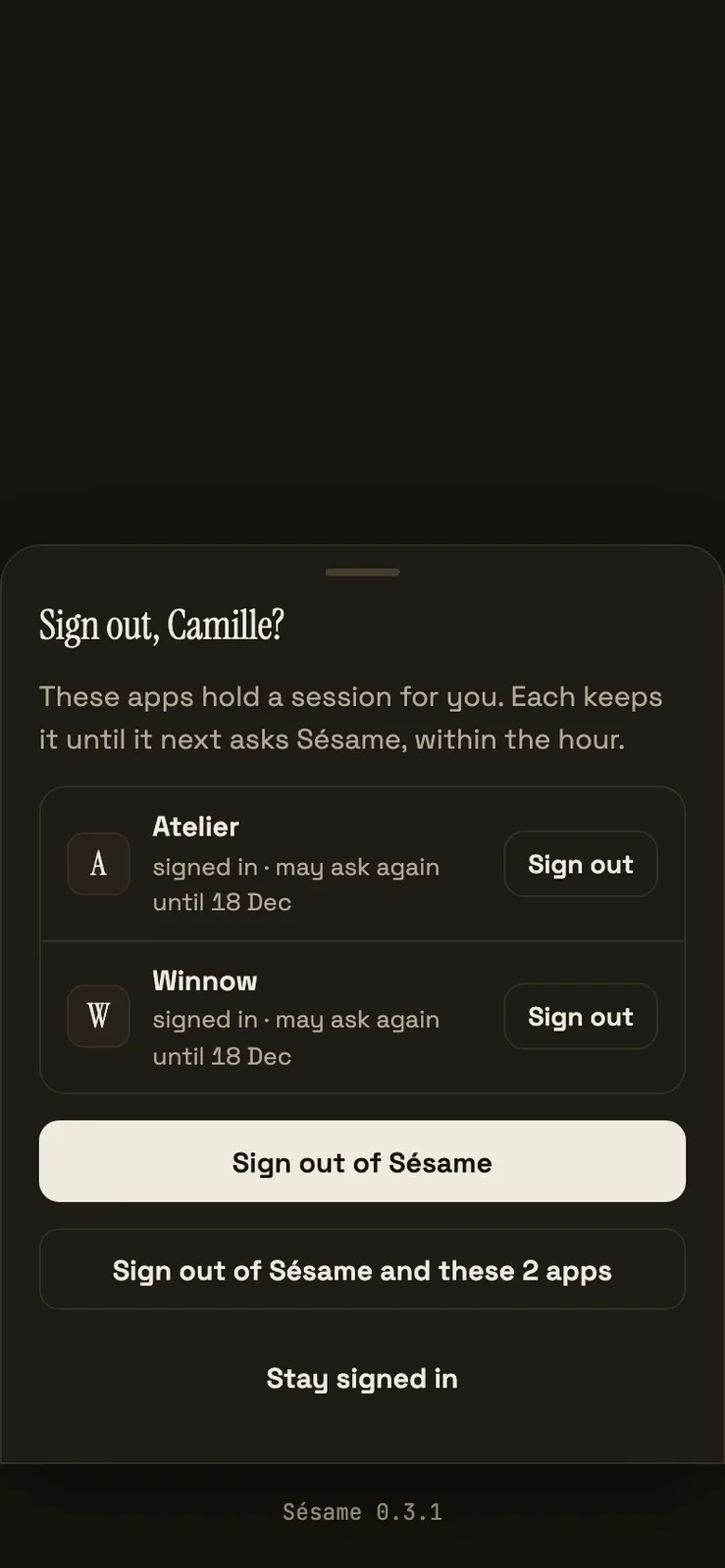
Signing out
Older versions (1)
- 0.1.0Alcalá
The first Sésame: one account and its passkeys for every app, and invitations that decide who may enter which.
- One account for every app: an app signs its people in through Sésame with OpenID Connect, and signing in once lets you into every app you belong to.
- Passkeys instead of passwords: make one on your phone or computer, add more from your account page, rename or remove them — never the last one.
- Invitations per app: an administrator makes a link that opens one app, once, for seven days, with a role if the app has roles. Accepting it creates your account, or adds the app to the one you have.
- No invitation, no entry: an app refuses anyone it never invited, and removing someone from an app or disabling them stops them at the app's next request.
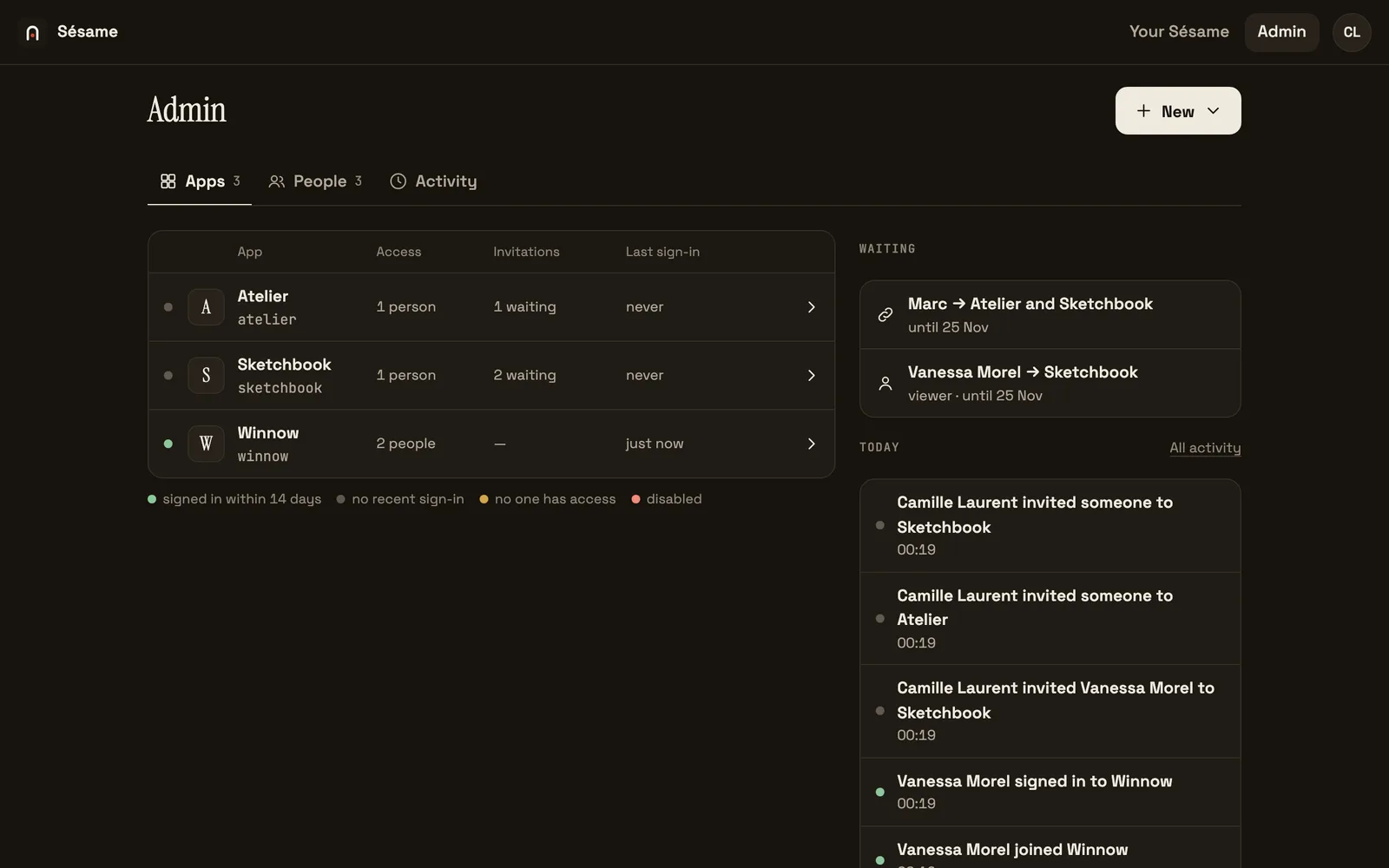
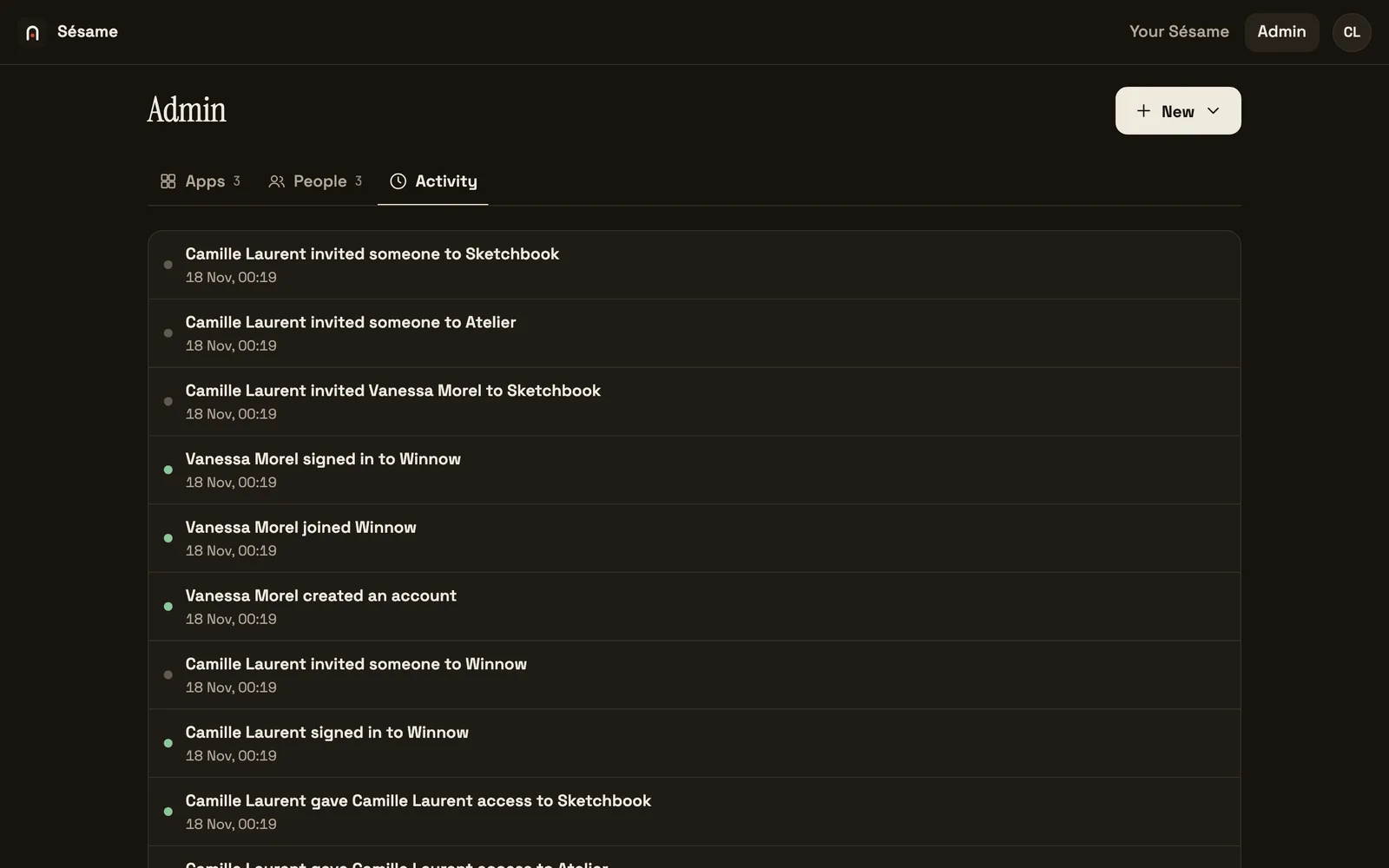
- The administration: apps with their roles and a secret shown once, their members and invitations, the people, a recovery link for a lost device, signing someone out everywhere, and what happened recently.
Write to me
A suggestion, a question, a hand with Sésame, or something to build together — pick what it is about, your mail app does the rest.