Winnow08
A self-hosted library for the RAW photos and video on the NAS: index once, then browse, search, cull, place on a map and export — without ever reading the originals twice.





- Timeline
- Jun 2026 —
- Role
- design + build
- Author
- Steeve Pommier
- Stack
- Next.js, TypeScript, PostgreSQL, Redis, BullMQ, sharp, exiftool, MinIO, Docker
- Version
- 1.1.0
- Page
- Updated 18 Nov 2026 · since 14 Aug 2026
- AI
- Vibecoded
Footage arrives from four devices — a Sony A7C II, a DJI drone, an iPhone and Ray-Ban Metas — and used to pile up on the NAS with no way to go through it from anywhere but the desk. Winnow is the answer to that: index once, then browse and cull from any screen in the house.
The one rule
The filesystem and the RAWs are touched once, during indexing and derivative generation. Every read after that goes through Postgres and a derivative cache, and culling always happens on proxies — never on the originals. Already-filed NAS sessions are mounted read-only so the rule is enforced by the mount, not by discipline.
Shape
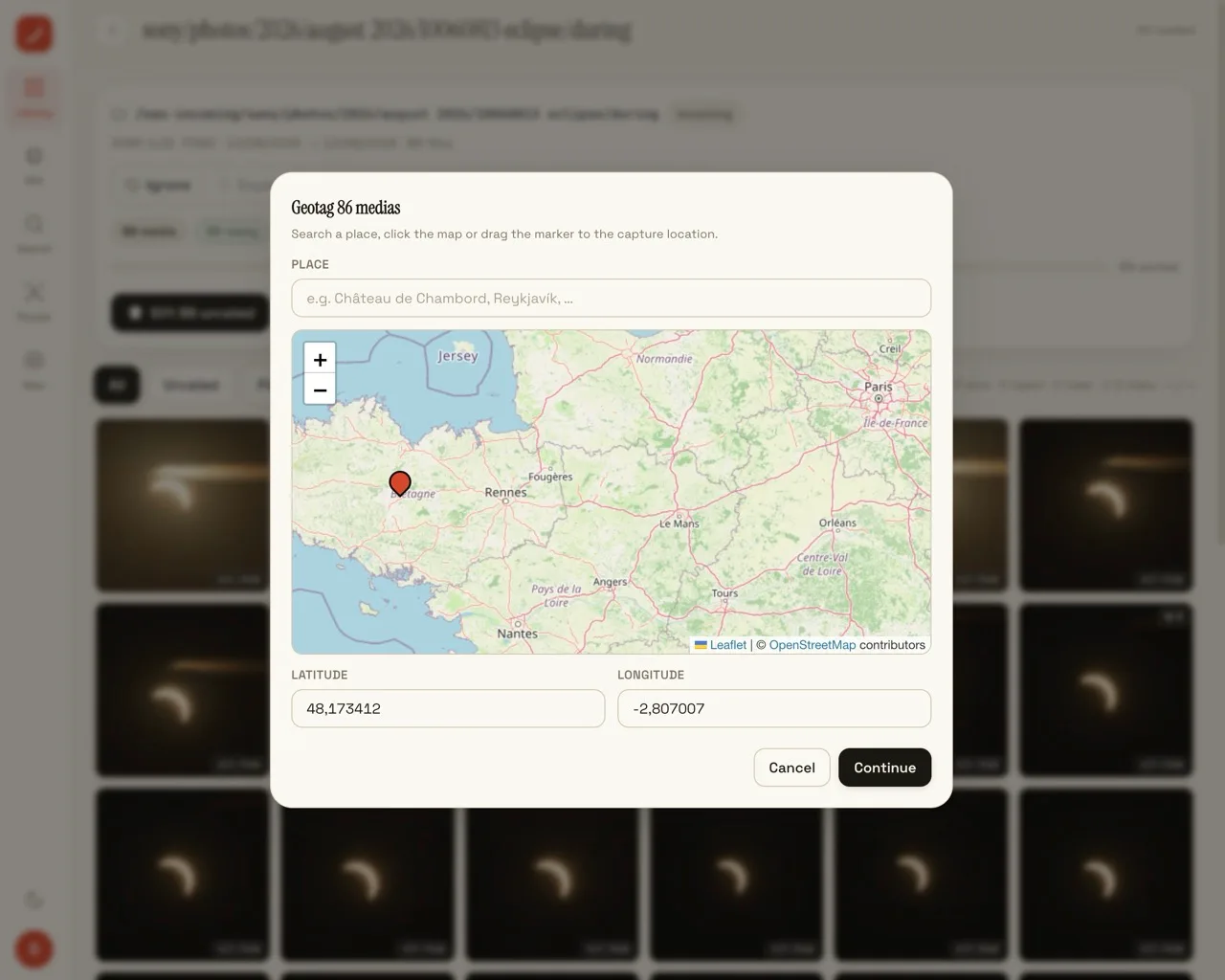
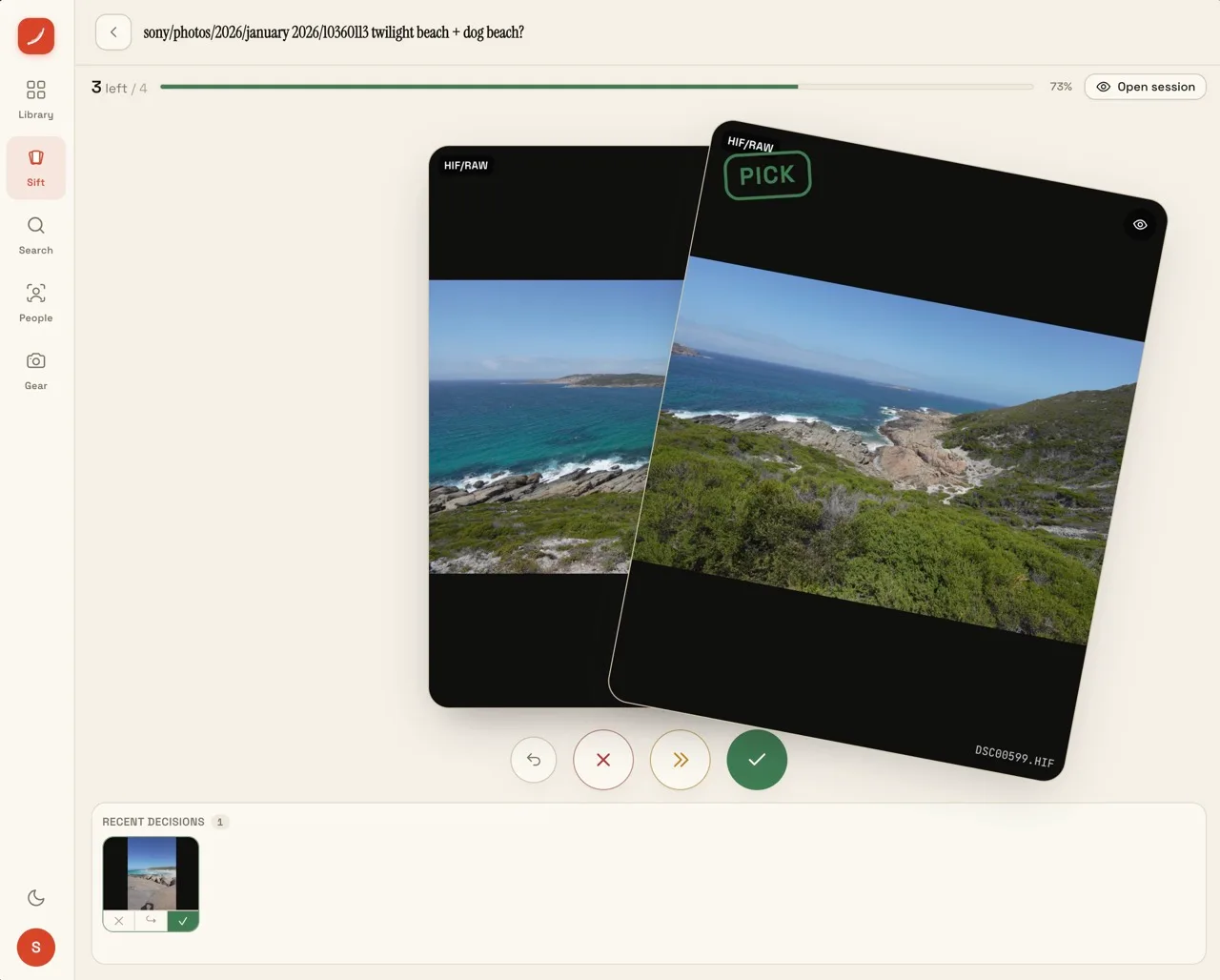
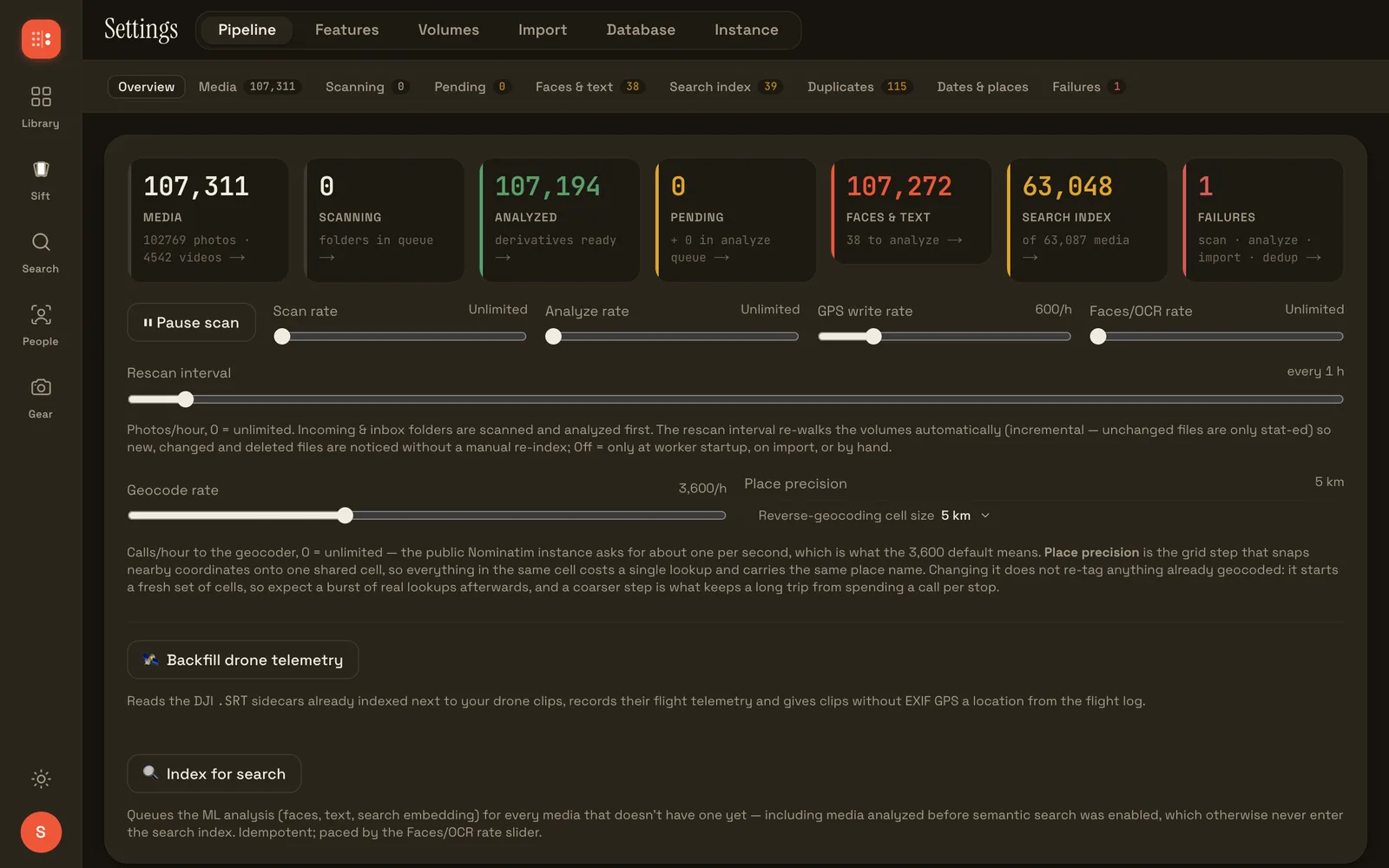
An indexer walks the volumes and writes sessions and assets to Postgres, then enqueues work on a Redis/BullMQ queue. Derivative workers run exiftool and sharp to produce thumbnails and proxies. A Next.js app is the culling UI — picks, rejects, stars, tags, geotagging — and export workers copy the selected RAWs out for Capture One or push them to Immich, keeping the source-to-export lineage either way.
It carries its own accounts: viewer, editor and admin roles, invite links so an administrator never types anyone else's password, and server-side session revocation.
Finding things
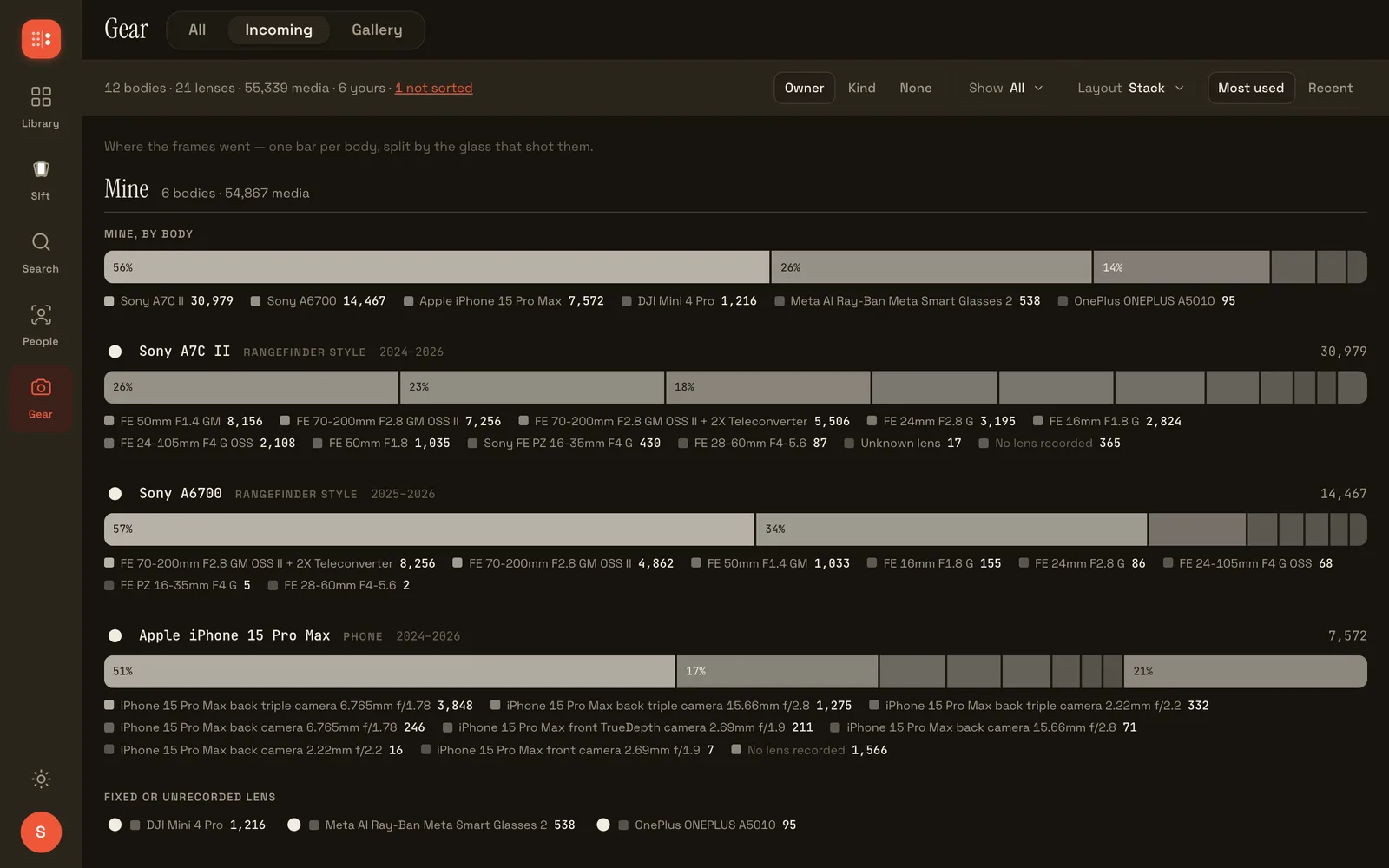
Beyond the culling grid the library can be read several ways. Search matches what a picture shows as well as the text read in it; People clusters detected faces into persons you name; Gear is the shelf of camera bodies and lenses with how much was shot on each. A calendar, a map and, behind feature flags, a Timeline of chapters and a Heatmap of when and where read the same index. Exposure brackets and action bursts are stacked separately, so a pile is culled in one gesture.
Placing and tidying
Files are filed by the day on the photographer's own clock, not UTC. Media with no GPS position — the two Sony bodies have none — go to Unplaced, where they are placed folder by folder from a suggestion, a map or an imported GPS track (Polarsteps, GPX). Duplicate triage suggests a survivor and lets you review pairs from the keyboard.
Working with other apps
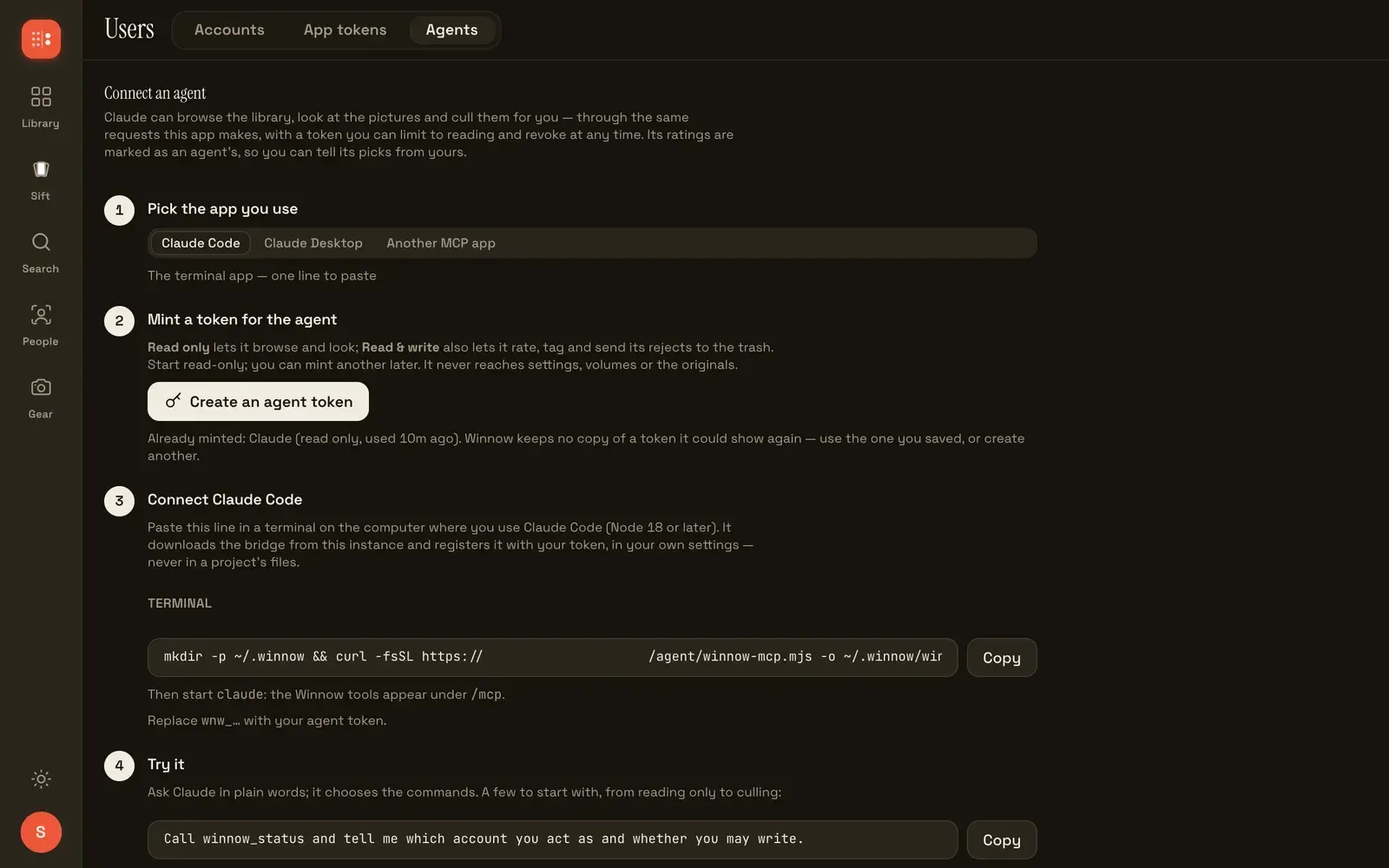
Atelier can keep its documents in Winnow, through app tokens an administrator mints with a read-only or read-and-write ceiling. The same tokens let Claude drive the library over MCP — find, look at, rate, trash and name people — with every rating it writes marked as an agent's.
Versions
- 1.1.0Sorghum
Atelier's galleries of documents open much faster and its documents are no longer limited to 1 MB.
- Faster galleries in Atelier: they list documents by a small summary instead of downloading each one whole, so a Develop gallery of big rolls opens in a few kilobytes.
- Larger documents: Atelier's trips, projects and Develop rolls are no longer held to 1 MB; a roll of hundreds of edited pictures saves whole, up to 96 MB.
- 1.0.0Rye
Winnow's first numbered release sorts screenshots out of Unplaced and places frames from the ones around them.
- Screenshots set aside: screenshots and files saved from other apps leave Unplaced in bulk.
- Placement by neighbours: each Unplaced frame is placed from the located frames around its own minute, and cards are rated by distance.
- Graded exports keep a position: a graded export takes its source clip's position.
- Version in the account menu: it shows which version the instance runs.
- 0.10.0Quinoa
Media are filed by their local capture day, GPS tracks can place frames, and Claude can drive the library through an MCP server.
- Local capture days: a frame belongs to the day on the photographer's wall clock rather than UTC, so early mornings stay with the right day on a trip.
- GPS tracks: import a track from Polarsteps or a GPX file to place frames that have no position, with a preview and an undo. The gallery map now shows every located media, one marker per spot.
- Duplicate triage reworked: a suggested survivor, a plan by rule, folder pairs, keyboard review and your own strategies, in Settings > Pipeline > Duplicates.
- Claude through MCP: Claude can browse the library, look at pictures, rate, trash and name the people in the media, using a token minted for it.
- Cameras corrected by hand: a body a file got wrong can be fixed or set aside, and each body can be marked as yours, someone else's or not a camera.
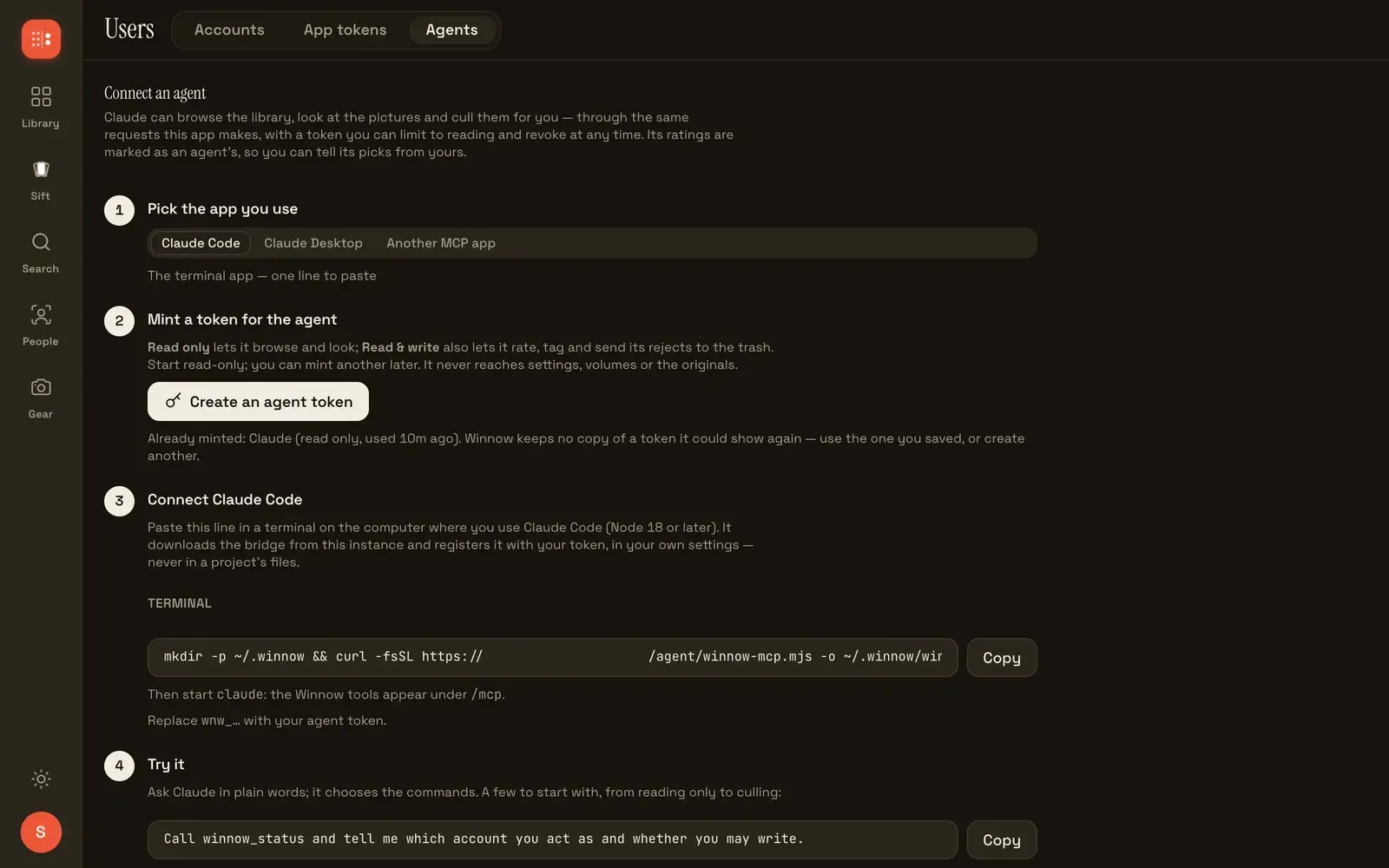
Connect Claude 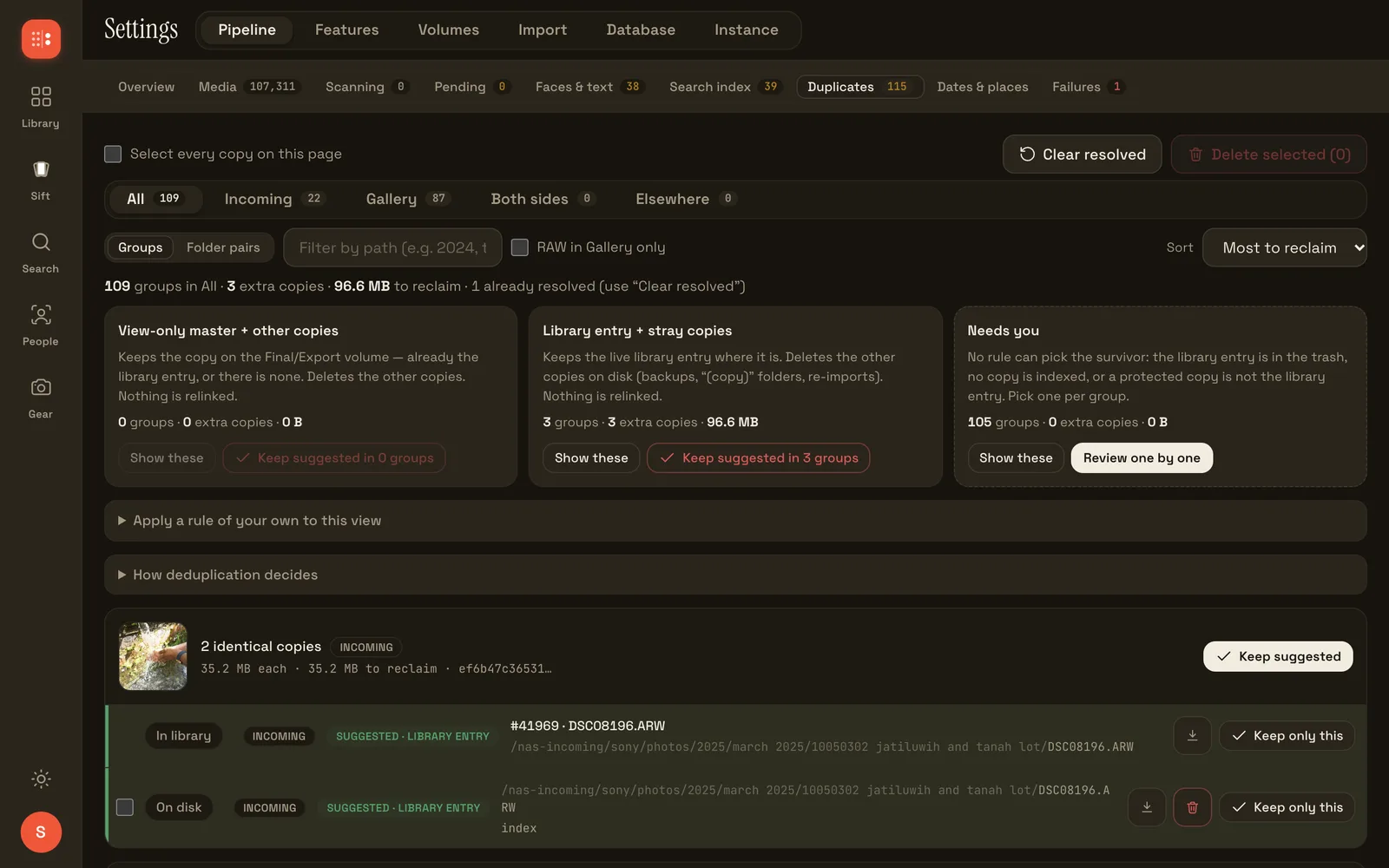
Duplicate triage
Older versions (9)
- 0.9.0Oat
Unplaced lets you give a position to the media that have none, in bulk, and apps can now sign in with tokens.
- Unplaced: media with no GPS position are grouped one folder per card and placed in bulk, from a suggestion or from a map.
- Cameras voted per folder: media whose files never named a camera get one, decided by vote across their folder, from the pipeline page or the grids.
- App tokens: an admin can mint a token for a client app that cannot hold a session cookie, limited to read-only or read and write, revocable one by one.
- A smoother grid: it now scrolls smoothly with hundreds of tiles on screen.
- 0.8.0Millet
A Timeline and a Heatmap read the library as a story, and Atelier becomes a trusted client that keeps its documents in Winnow.
- Timeline: the library read as chapters that cross folders ("Sydney, 3 to 11 March"), with a month spine to jump around a year. It is behind a feature flag, off by default.
- Heatmap: when and where you shot, crossed on one page, read as a calendar plus map, a places-by-months matrix, and other views. Also behind a flag, off by default.
- Atelier as a trusted client: Atelier can call Winnow from its own address and keep its documents and files there.
- Gear page layouts: the camera and lens shelf can be shown as eight different layouts.
- Settings > Instance shows the running configuration, read-only, with where each value comes from.
- 0.7.0Kamut
People arrive: faces are grouped into named persons, and bursts are told apart from exposure brackets.
- People, a new shelf: the faces Winnow detects are clustered into persons you can name, merge, and correct when it gets two people wrong. A People filter in the gallery and the faces shown in the viewer follow.
- Brackets versus bursts: an exposure-bracketed run is no longer treated like a continuous burst, so each kind of pile is told apart in the grid.
- Incoming, Gallery or All: People and Search gain a switch to look at the media still waiting, the kept gallery, or both.
- Shutter counts: the Gear shelf shows how many shutter actuations each camera body has done.
- 0.6.0Fonio
Winnow gets accounts with roles, a Settings area, export to Immich and ZIP downloads of the gallery selection.
- Accounts: sign-in, roles (admin, editor, viewer), invitations and a Users page.
- Settings: pipeline, volumes and import, the Faces & text and Search index stages, and a Database page with backups to download.
- Export to Immich: culled keepers can be sent to Immich.
- ZIP downloads: the gallery selection downloads as a ZIP, one by one or as a folder.
- Safer finals: final and export copies are protected from deduplication.
- 0.5.0Einkorn
You can set where a photo was taken by hand, browse your cameras and lenses, and handle bursts as stacks.
- Set the location by hand: give photos and videos a capture location one by one, or for a whole session.
- A Gear page: the camera bodies and lenses that shot the library.
- Burst and bracket stacks: collapsed to a cover in the grid, with pile actions, restacking and keep-the-sharpest.
- Richer drone metadata: more is read from DJI video telemetry and photos.
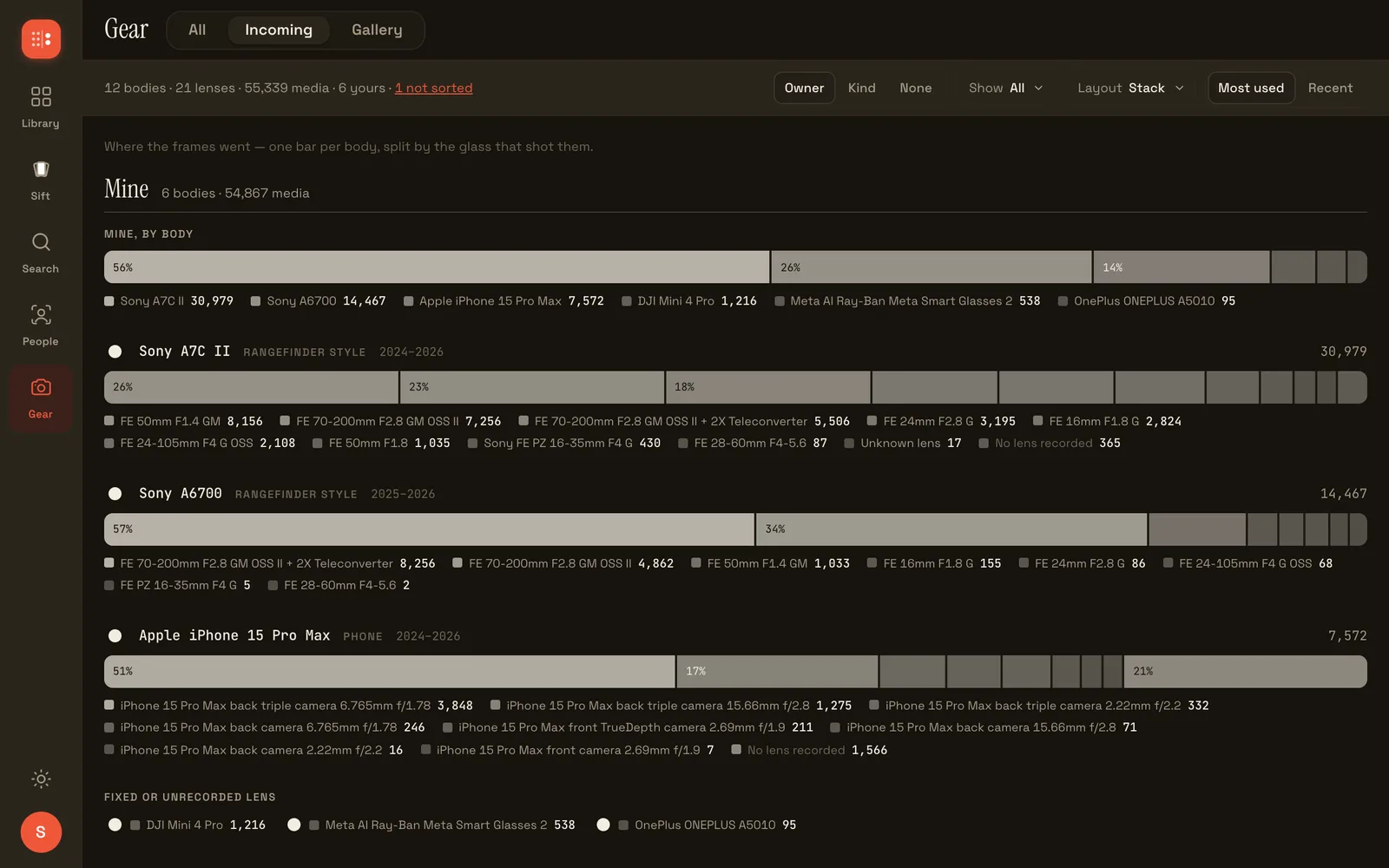
The Gear page, as it looks today - 0.4.0Durum
You can find media by describing them, and Winnow notices when originals go missing; a dark theme comes too.
- Semantic search: describe a picture in words to find it.
- File integrity: a periodic rescan detects missing originals, which get their own triage tab.
- DJI telemetry: the telemetry sidecars of DJI drones are read end to end.
- Near-duplicates filter in the gallery.
- A dark theme.
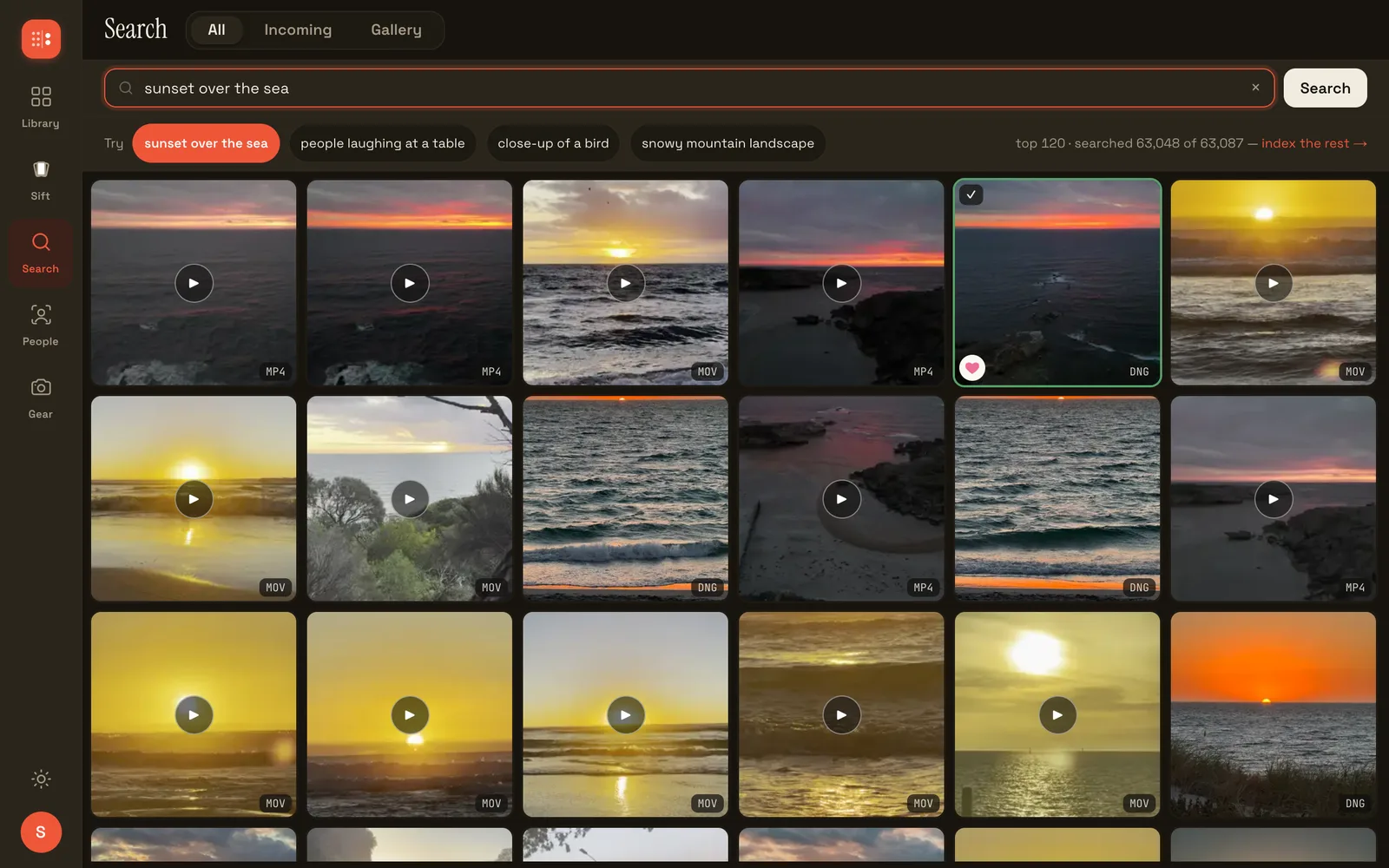
Semantic search, as it looks today - 0.3.0Corn
Bursts, brackets and place names are found automatically, and machine-learning triage flags faces, text, blur and near-duplicates.
- Bursts and brackets are detected when a folder is scanned.
- Finals paired with their sources: each final is linked to the media it came from.
- Place names: positions are turned into names of places.
- ML triage: faces, text, a blur score and near-duplicate detection help you decide.
- Live Photo previews: the motion plays in the grid, in Sift and in the viewer.
- A faster grid: media load faster.
- 0.2.0Barley
The Library, swipe-to-cull Sift and a media viewer arrive, and Winnow can be installed as an app on phones and computers.
- The Library: Incoming sessions, the Gallery of finals, Exports and Trash, with filters, a map and a calendar.
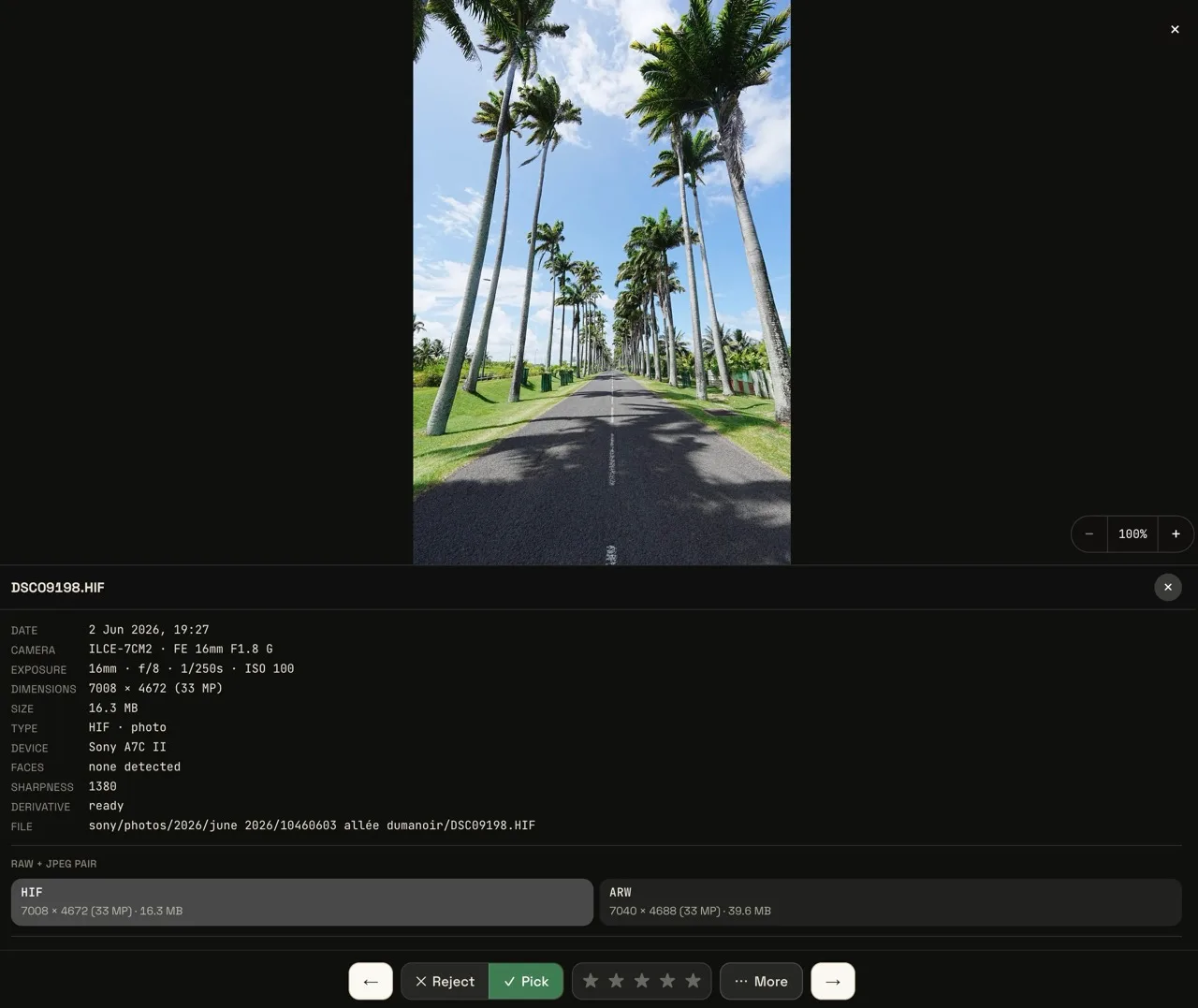
- Sift: cull a session's media by swiping through it, in a viewer with zoom and an info panel.
- Volumes: pick the NAS folders to index from a browser of the NAS.
- One media, several files: RAW + JPEG pairs, Live Photos and Sony sidecars are treated as a single media.
- Cleaning up: duplicate triage, a recycle bin and a confirmed purge of the rejects.
- Installable: Winnow runs as an app on phones and computers.
- 0.1.0Amaranth
The first version: it indexes the RAW photos and videos on the NAS, lets you cull them on lightweight proxies and exports the keepers.
- The first version: Winnow indexes the RAW photos and videos on the NAS, reading each file once.
- Cull on proxies: you sort through lightweight copies, so the originals are never touched.
- Export the keepers: the media you keep are exported.
Write to me
A suggestion, a question, a hand with Winnow, or something to build together — pick what it is about, your mail app does the rest.