Splines v2 — Draggable
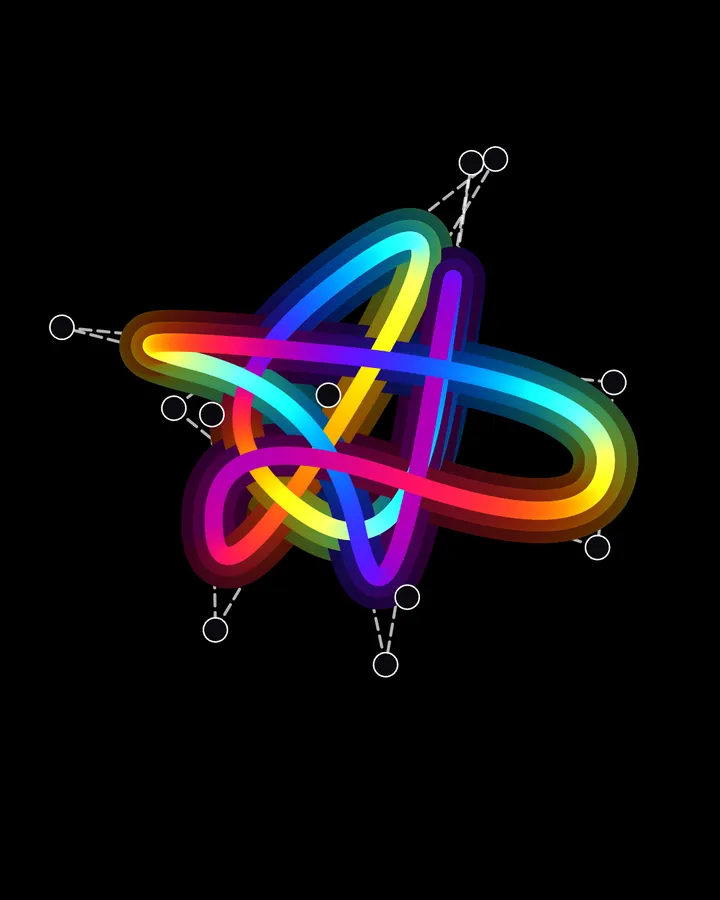
The control points become draggable handles: grab one with mouse, touch or a webcam pinch — several pointers at once — and the neon curve re-rounds live.





The same control-point-free splines as v0, but the points are an editable, persisted list you can drag around. Three things make that work:
- The points are stored NORMALIZED (0..1) in options.sketch.points.items, so they survive canvas resizes and are saved/exported with the template. Random by default (seeded);
count/seedregenerate the layout. 2. The grab → move → release state machine, pointer collection (mouse + touch) and the keep-off-the-viewport-pan affordance all come from the shared draggable layer (utils/interaction/draggable.js) — the same helper that makes the template content items draggable. 3. On top of the built-in mouse/touch pointers, the sketch feeds the draggable layer camera pointers: enable Vision → Hands and the thumb+index midpoint is the pointer, a PINCH (the two tips closer than the threshold) is "pressed" — so you literally pinch a point and move it. Every pointer is independent, so several can drag at once: multi-touch (one point per finger) and multi-hand (one point per pinching hand).